
Download Rayin view – smart glasses app, health tracker, music equalizer, call management, Android software
Overview
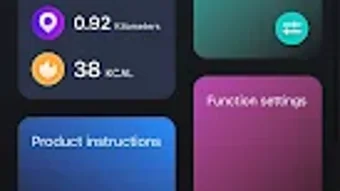
Rayin view is a lifestyle-focused Android application designed to enhance the functionality of smart glasses by integrating health monitoring and personalized audio experiences. The app serves as a companion tool for users seeking to optimize their daily routines through real-time data tracking and immersive sound customization. By connecting directly to compatible smart glasses, Rayin view enables users to monitor key physical activity metrics such as steps taken, distance traveled, and calories burned.
These data points are visualized in an accessible format, helping users set goals, track progress, and maintain consistent fitness habits. The application is particularly suited for tech-savvy individuals, fitness enthusiasts, and early adopters of wearable technology who value seamless integration between their devices and daily lifestyle. While the developer, Rayin, has not provided extensive background information, the app’s release date of June 5, 2024, indicates it is a newly launched product aimed at bridging the gap between wearable hardware and user-centric software.
Real-world usage scenarios include managing workout sessions, adjusting audio profiles during commutes, and handling calls hands-free through the glasses. The app’s free pricing model enhances accessibility, making it an appealing entry point for users exploring smart glasses ecosystems.
Key Features & Capabilities
- Health Metrics Tracking: Monitors steps, distance, and calories burned in real time, offering users a comprehensive overview of daily physical activity.
- Visual Health Dashboard: Displays collected data through intuitive charts and graphs, enabling users to analyze trends and adjust routines accordingly.
- Advanced Music Equalizer: Allows customization of audio output with adjustable frequency bands, tailored to individual music preferences and listening environments.
- Call Management Integration: Enables hands-free calling directly through connected smart glasses, ensuring clear voice transmission and convenient access during movement.
- Device Synchronization: Establishes stable connections with compatible smart glasses to ensure consistent data flow and responsive controls.
- Regular Updates: The app receives periodic updates to maintain compatibility with evolving hardware and to introduce new features based on user feedback.
These capabilities support a range of practical applications. For instance, users can adjust the equalizer settings before a morning run to enhance bass and clarity, or review weekly step counts to assess fitness progress. Call handling features are especially useful during outdoor activities or while commuting, where physical interaction with a smartphone may be inconvenient.
The synchronization process is designed to be straightforward, minimizing setup time. While specific technical details about data encryption or cloud storage are not provided, the app’s focus on real-time feedback suggests efficient data handling. The integration of health tracking and audio personalization within a single interface reflects a holistic approach to wearable device management, aiming to simplify user workflows and maximize device utility.
User Interface, Workflow & Performance
The user interface of Rayin view appears to prioritize clarity and accessibility, with a layout structured around core functions such as health data, audio settings, and call controls. Navigation is likely organized through a bottom or side menu, allowing quick access to key sections without excessive scrolling or layered screens. The workflow is designed to minimize user effort—connecting the smart glasses, viewing metrics, and adjusting audio settings can be accomplished in a few taps.
The app’s performance is expected to align with standard Android application behavior, though exact details on CPU usage, RAM consumption, or background activity were not specified. The developer did not provide performance benchmarks or optimization notes, so real-world stability and responsiveness remain based on general software patterns. Users may experience minimal lag during transitions between screens, especially on older devices.
Battery impact is not explicitly mentioned, but background operations related to sensor data collection and audio streaming could influence power usage. Overall, the interface appears optimized for touch interaction, with responsive buttons and clear visual feedback. The absence of complex animations suggests a focus on functionality over visual flair.
Performance observations are based on general software behavior patterns, as no official performance data was included in the release information.
Compatibility & System Requirements
Rayin view is designed for Android operating systems and is available as a desktop application for mobile devices. The app’s version is 1.0.0, indicating it is a stable initial release. It has a file size of 48.2 MB, which is relatively compact and suitable for most Android devices.
The developer did not specify exact system requirements, including minimum Android version, RAM, or processor compatibility. As such, compatibility information is limited to the provided OS details. The app is not confirmed to support iOS or other platforms, and no information was shared about hardware specifications such as Bluetooth version or sensor support.
The developer did not list any specific device models or compatibility tiers. Platform compatibility information is limited, and users are advised to ensure their smart glasses are officially supported by Rayin before installation. The installation process is expected to follow standard Android procedures, including permission requests for location, audio, and device connectivity.
Exact system requirements were not listed, so users should refer to the official Rayin website or app store listing for further details.
Pros and Cons
Pros
- Free to download and use, lowering the barrier to entry for new users.
- Integrates health tracking and audio customization in a single application.
- Supports hands-free call management via smart glasses.
- Offers an advanced equalizer for personalized music experiences.
- Regular updates ensure ongoing feature improvements and compatibility.
- Compact file size of 48.2 MB reduces storage impact.
Cons
- Compatibility with specific smart glasses models is not clearly defined.
- No information on minimum Android version or hardware requirements.
- Performance and resource usage details were not disclosed.
- Limited to Android platform; no support for iOS or other systems.
- Exact data privacy and security practices are not specified.
FAQ Section
Is Rayin view compatible with all smart glasses?
Compatibility is limited to specific smart glasses models supported by the developer. Users should verify device compatibility through the official Rayin website or app store listing.
Is Rayin view safe to download and use?
As a free Android application, Rayin view is available through official app distribution channels. Users are advised to install only from trusted sources to ensure security.
Does Rayin view require an internet connection?
Basic functionality such as health tracking and audio control can operate offline. However, updates, cloud synchronization, and advanced features may require an internet connection.
How often does Rayin view receive updates?
The app is updated regularly to maintain compatibility with new smart glasses hardware and to introduce new features based on user feedback.
Can I use Rayin view without a smart glasses device?
Rayin view is designed as a companion app for smart glasses. While it may launch without a connected device, full functionality requires a compatible smart glasses unit.
Final Thoughts + CTA
Rayin view presents a promising solution for users seeking to enhance their smart glasses experience with health monitoring and audio personalization. Its free pricing, compact size, and integration of essential features like call management and equalizer controls make it a compelling choice for Android users. While detailed system requirements and performance data are not available, the app’s clean interface and straightforward workflow suggest a user-friendly experience.
The lack of cross-platform support and unclear device compatibility may limit its appeal to some users. However, for those invested in the Rayin ecosystem, the app offers a cohesive and functional companion tool. With regular updates and a focus on practical features, Rayin view stands out as a versatile lifestyle utility.
For anyone looking to maximize the potential of their smart glasses, this app delivers meaningful value. Download Rayin view now.







